


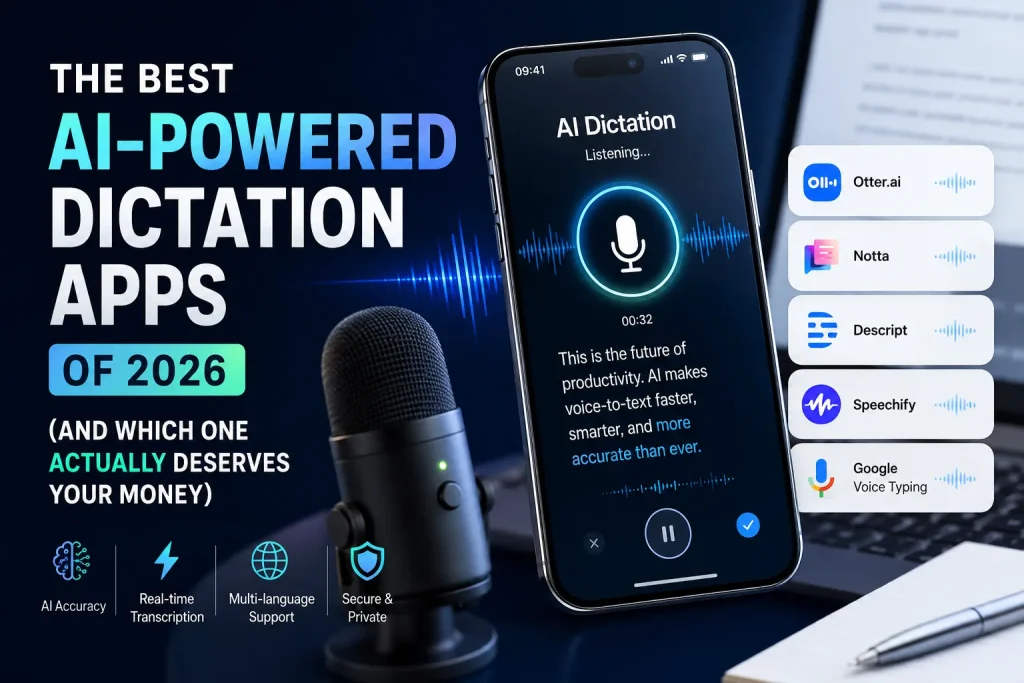
Here’s a stat that should make every content writer, founder, and email-happy marketer sit up: most people speak at 130 to 150 words per minute, but type at around 40.
That gap has always existed, but it’s only in 2026 that dictation apps have gotten good enough to actually close it. Not “good enough for a quick text message” good — we’re talking 92 to 99 percent accuracy, punctuation that shows up on its own, filler words that quietly disappear, and text that lands in your document looking like you actually proofread it.
If you’ve tried dictation before and gave up because it felt clunky, robotic, or just plain wrong half the time, it’s worth giving this category another look. The tools have changed more in the last year than in the previous five combined.
Why 2026 Feels Like a Turning Point
The old dictation experience — the one built into your phone or Google Docs — was never really “AI.” It was speech recognition with a punctuation command bolted on, so you’d have to say “comma” and “full stop” out loud like you’re narrating a legal document. What’s different now is that dictation apps combine multimodal speech-to-text models with large language models sitting right behind them.
That combination means the app doesn’t just hear your words, it understands what you’re trying to say. It infers where a sentence should end, cleans up your “umm” and “like,” fixes homophones based on context, and can even match a tone you’ve trained it on.
The result is text that’s often close to publication-ready straight out of your mouth. That’s a genuinely big deal if your day involves writing outreach emails, blog drafts, Slack updates, or client reports on a loop.
The Apps Actually Worth Your Time
There’s a flood of dictation tools out there right now, so let’s cut straight to the ones that keep showing up as genuinely good rather than just well-marketed.
Wispr Flow is the name most people land on first, and for good reason. It works system-wide across Mac, Windows, iPhone, and Android, so you’re not locked into one app or one device. It leans heavily into rewriting your dictated text into something polished, which is great if your habit is to ramble first and clean up later.
The catch is that it sits at the top of the pricing range at $15 a month, the Windows app is on the heavier side, and its Trustpilot reviews have been a bit inconsistent, with some users feeling the experience gets shakier after the free trial ends.
Superwhisper is the one to look at if privacy or long-term cost is your main concern. It runs on-device rather than routing your voice through the cloud, and it offers a one-time lifetime license instead of forcing you into a subscription. Over a few years, that ends up being noticeably cheaper than almost everything else on this list, and for anyone dictating sensitive client information, keeping audio off someone else’s server is a real advantage.
Laxis has quietly become a favourite for people who live in back-to-back meetings. It’s fast, it bundles an AI meeting assistant and a personal knowledge base along with the dictation itself, and it starts at a little over $13 a month. Its one real gap is language support — under 50 languages compared to over 100 for some competitors — so it’s less useful if you’re writing or working across multiple languages regularly.
Otter.ai plays a different game entirely. It’s not really built for everyday writing dictation, it’s built for meetings. If your work involves a lot of Zoom or Google Meet calls that need transcribing, searching, and sharing, Otter’s speaker labels and calendar integrations make it worth having even if you use something else for daily writing.
Apple Dictation and Google Docs Voice Typing remain the free, no-fuss options, and honestly, they’ve improved too. For short notes, quick replies, or casual use, they’re genuinely fine. Where they fall short is customization, tone matching, and formatting depth — once your dictation needs get serious, you’ll feel the ceiling pretty quickly.
How They Stack Up
| App | Best For | Starting Price | Platforms | Standout Feature | Main Drawback |
|---|---|---|---|---|---|
| Wispr Flow | Cross-platform everyday writing | $12–15/month | Mac, Windows, iOS, Android | Strong rewriting and polish | Heavier app, pricier tier |
| Superwhisper | Privacy and long-term cost | $8.49/month or $249 lifetime | Mac (primarily) | On-device, one-time payment option | Less cross-platform reach |
| Laxis | Meetings plus daily dictation | ~$13/month | Desktop, web | Meeting assistant + knowledge base | Fewer supported languages |
| Otter.ai | Meeting transcription | Free (300 min) / $16.99/month | Web, mobile, integrations | Zoom/Teams/Meet integrations | Not built for general writing |
| Apple/Google Dictation | Free, casual use | Free | iOS, Android, Docs | Zero cost, already built in | Limited formatting and tone control |
Five Mistakes People Make When Switching to AI Dictation
The tool matters, but how you use it matters just as much. A few patterns show up again and again with people who try dictation and quit too early.
The first mistake is expecting perfection from the very first session. Most AI dictation apps improve as they learn your vocabulary and speech patterns, and that adjustment period can take a few days of regular use before accuracy really clicks into place.
The second is dictating in fragments instead of full thoughts. Speaking in short, choppy phrases confuses the AI’s ability to infer punctuation and structure. You’ll get noticeably cleaner output by finishing a full sentence or idea before pausing.
The third is ignoring microphone position entirely. Something as simple as keeping your mic six to twelve inches from your mouth, and cutting background noise where you can, makes a bigger difference to accuracy than people expect.
The fourth is picking a tool based on price alone without checking whether it fits your actual workflow. Someone doing client meetings all day needs Otter’s transcription strengths, not a writing-focused tool like Wispr Flow, and vice versa.
The fifth is never using the correction or training features these apps offer. Most tools let you flag mistakes or add custom vocabulary, but people skip this step and then complain the tool “doesn’t understand” industry terms or names it was never taught in the first place.
Which One Should You Actually Pick
If you want the least complicated choice for everyday writing, Wispr Flow is the safest recommendation. If you dictate constantly and privacy or subscription fatigue bothers you, Superwhisper’s lifetime license is hard to beat. And if meetings eat up most of your day, don’t force a writing tool to do a transcription tool’s job — get Otter.ai and keep something free for quick personal notes.
Dictation isn’t a novelty anymore. Used well, it’s a genuine productivity shift for anyone whose job runs on words.
Prices and features mentioned are accurate as of the time of writing and may change as these products update their plans. It’s worth checking each app’s official pricing page before subscribing.